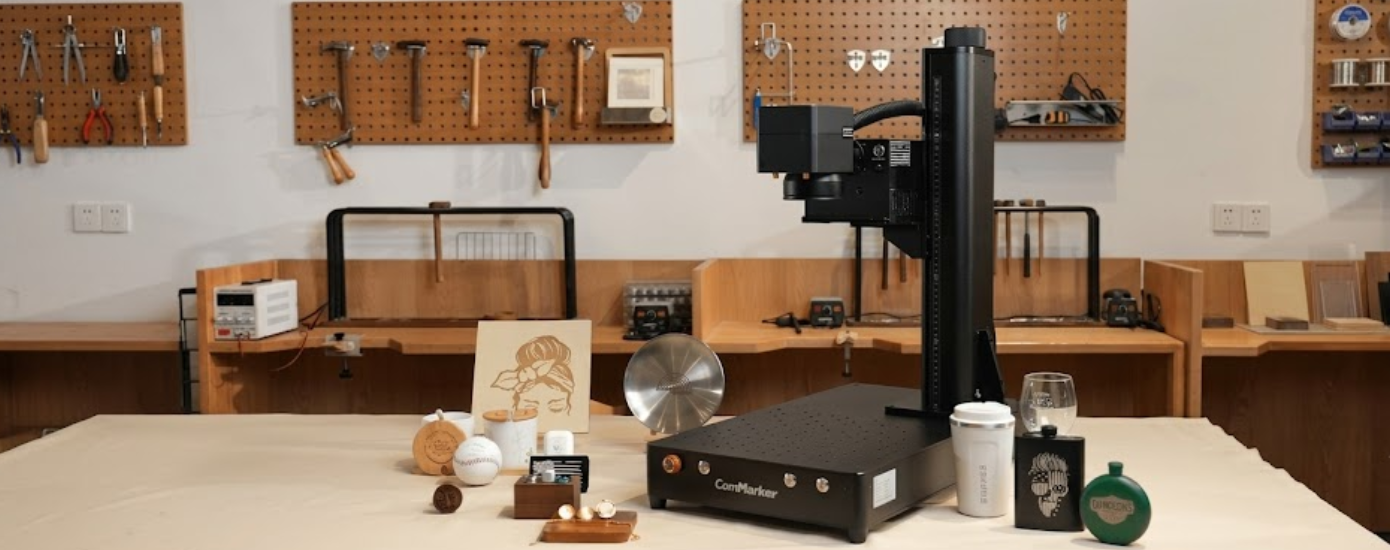
Is The ComMarker Omni 1 Worth It For A Small Engraving Business
A good engraving machine needs to fit products people will pay for and a workflow that remains manageable. ComMarker Omni 1 targets detailed work across materials that can be difficult to process cleanly.
This review examines suitable paid projects, production speed, software, accessories, costs, and practical limits to see where the machine makes sense for a small engraving business.
Why Small Engraving Businesses Consider The ComMarker Laser Engraver
Personalization can add value to jewelry, glassware, electronics, plastic items, and branded components. The ComMarker Laser Engraver uses a 355 nm UV laser, which ComMarker says can process sensitive surfaces with less heat. The company also claims accuracy down to 0.0019 mm.
When names, serial numbers, logos and other artwork demand clear detail, precision is paramount. ComMarker can work with metals, plastics, glass, ceramic, leather, wood, acrylic, stone and cloth, so small firms can experiment with different product categories.
Material compatibility still needs context. People in a Reddit discussion about ComMarker Omni 1 asked about metal depth and the difference between marking and deeper engraving. A machine may process many surfaces without producing the same type of result on each one, so samples should come before paid orders.
Which Paid Projects Suit The Omni Laser Engraver Best
The most promising match for business is small, personalised products. Fine detail is possible on jewellery, tags, glassware, small branded parts, electronics, 3D printed items and unique gifts, all without needing a big processing area.
Detailed Personalization Can Support Higher Value Custom Work
Small things rapidly reveal rough edges, especially when delicate text or intricate images are included in the design. ComMarker targets the 5W model at jewellery, electronics and detailed engraving, where precision may be more important than heavy cutting capability.
One verified review on the official product page says frequent work on glass, 3D printed objects and wood. That same report says that testing had to be done before reliable parameters could be ascertained. That experience is a significant production expense, as unfamiliar stock can take time and samples.
A simple material library can reduce repeated testing. Recording power, speed, passes, lens, focus, and finished results after successful jobs creates a reference for future orders. This is one practical advantage small workshops can build for themselves over time.
Broad Material Compatibility Opens More Product Possibilities
The Omni Laser Engraver can accommodate a broad catalogue when each product has definite demand. Glass favors may perform well for occasions, while plastic tags, metal branding, and leather personalising can suit diverse clients.
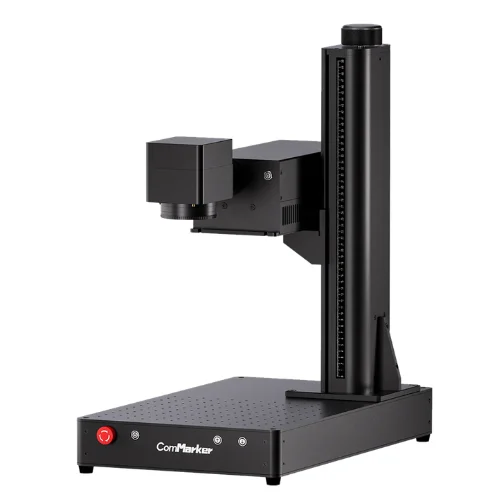
Variety becomes less useful when a business stocks products simply because the machine can engrave them. Testing a few categories first can reveal which ones deserve more material, marketing, and production time.
Rotary Projects Can Expand The Range Of Sellable Items
Tumblers, bottles, rings, and cups require the optional R5 rotary mechanism. The base 5W bundle contains two field lenses and core accessories, whereas rotating equipment boosts the total cost.
A LightBurn community conversation regarding the Omni 1 and R5 rotary includes a question about attaining the correct full rotation settings. People planning curved items should expect calibration and test pieces before accepting paid work. The accessory is only useful if the process can be repeated.
How The Omni 1 Laser Engraver Fits Into A Daily Workflow
Sample quality is just one part of the business story. The number of orders that can go through a workshop depends on artwork preparation, positioning, loading, software and repeatability.
Engraving Speed Matters Most During Repetitive Orders
ComMarker reports a top speed of 10000 mm/second. That number is especially useful for batches of tags, branded parts, or customised favours, when savings of seconds might add up over many repeated pieces.
Complete order time is a better measure. Track one task from artwork preparation to the finished item, including focusing, loading, cleaning, and handling. To get a more realistic sense of earning potential than maximum speed alone, compare that time with the selling price and material cost.
Software Support Influences Design And Production Efficiency
The Omni 1 Laser Engraver supports EZCAD and LightBurn, along with PNG, JPG, DXF, PLT, AI, and SVG files. Windows and macOS compatibility also gives people more flexibility when setting up a workstation.
Saved templates, consistent origin points, and organized customer files can reduce mistakes during repeat projects. People new to laser software should allow time for learning because poor artwork preparation or positioning might waste material, even when the machine itself works rapidly.
Work Area Limits Need To Match The Products You Plan To Sell
The standard working area measures 150 mm by 150 mm. ComMarker lists a 300 mm by 300 mm option for the 10W model with an optional lens, though compact products remain the most natural fit.
Buy the products most likely to become regular stock against the available field. This basic inspection can identify a poor fit before money is spent, therefore preventing production slowdowns and consistency issues due to frequent repositioning.
What Costs And Accessories Deserve Attention Before Owning
The 5W basic bundle is listed at $3299. ComMarker positions this version for detailed engraving, while the 10W model uses water cooling and is intended for longer working periods and more demanding cutting tasks.
Total cost should also include ventilation, safety equipment, test materials, replacement stock, software charges where relevant and optional extras. Those costs determine how much revenue the machine must generate before the investment pays for itself.
The 5W version may suit detailed personalization and lighter production. Longer operating periods and greater cutting needs may justify the 10W model. Extra capacity offers little business value when regular orders never use it.
Accessories have to be demand-driven. If the company plan already includes curved products, a rotational system makes sense. Buying every addition at the beginning can mean less money for stock, packaging, testing and customer acquisition.
Frequently Asked Questions
Is The ComMarker Omni 1 Good For A Small Business?
It’s for a firm focused on comprehensive personalisation, blended materials and small items. Value is determined by margins, the number of orders and how well planned work fits in the given area.
Does The Omni 1 Laser Engraver Work With LightBurn?
Yes. ComMarker lists LightBurn and EZCAD as supported software. Rotary work may still require calibration and testing before paid orders begin.
Can The Machine Engrave Glass And Plastic?
ComMarker lists both among supported materials. Results depend on material composition, settings, focus, and preparation, so samples should be tested before promising a specific finish.
Is The Rotary Accessory Necessary?
Only when curved products form part of the business plan. Flat jewelry, tags, plaques, and components can be produced without it.
For a small engraving business focused on detailed customization, mixed materials, and compact products, the ComMarker Omni 1 has a credible place. Its value depends on matching the machine with profitable products, tested settings, and accessories that serve real demand.
Follow SmyHome for more practical insights on technology.
Related Blogs

Frank Green NZ Review: Are These Reusable Bottles Worth It?
Ditching single-use plastics requires everyday drinkware that actually keeps up with your lifestyle. Our Frank Green NZ review tests top ceramic-lined water bottles, coffee cups, and accessories to help you pick the perfect reusable vessel.
See More
Valerion Projector Review: Is It Worth Buying?
Upgrading your home theater with a true cinematic display can feel overwhelming. Our comprehensive Valerion review examines top 4K RGB triple-laser projectors to help you choose the best model for your living room, home theater, or gaming setup.
See More
WeCreat Laser Engraver Guide: Find Your Best Match
Discover which WeCreat laser engraver fits your creative goals. Compare beginner-friendly diode machines, business-ready models, portable dual lasers, and advanced production systems.
See More
Crown Shades Canopy Review: Is CenterLOK Worth It?
Setting up a pop-up canopy often leads to pinched fingers and uneven legs. In this detailed Crown Shades review, we break down their patented one-push CenterLOK mechanism, top-rated outdoor shelters, and overall durability.
See More
FluffCo Review: Best Hotel-Style Bedding Picks
Explore FluffCo's hotel-inspired collection of pillows, comforters, sheets, pillowcases, robes, towels, slippers, and home fragrances for a more comfortable home.
See More
Thunderbit Review 2025: Turn Any Website Into Clean Data Instantly
Explore our Thunderbit review for 2025. Learn how this artificial intelligence browser tool transforms any website into clean, structured data without writing code or handling complex setups.
See More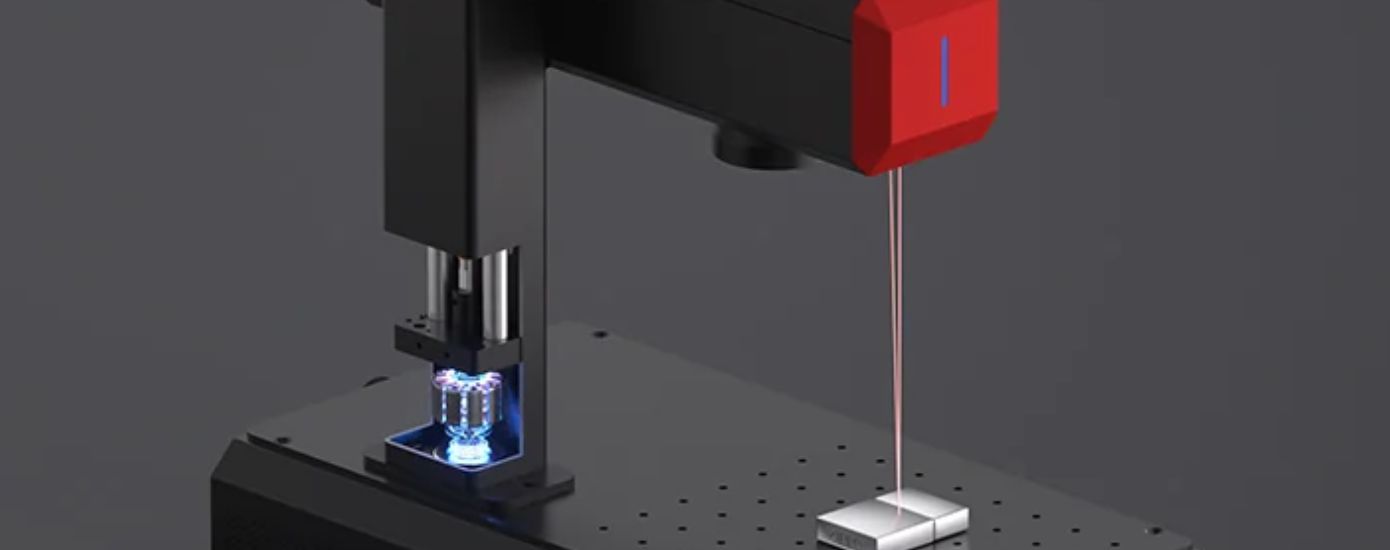
How To Get Professional Results With A Fiber Laser Engraver Using The ComMarker B6
Professional engraving depends on more than machine specifications. Learn practical techniques that help unlock better results with the ComMarker B6.
See More
Is The Oceano Mattress Worth The Investment For Luxury Sleep
A balanced review of comfort materials support and value to help you decide if Brentwood Home Oceano fits your sleep needs.
See MoreRecent Blogs